Knowledge Domains — drill-down redesign + per-corpus identity
The Knowledge Domains screen gets the same drill-down treatment as Pretrain Configuration and Hardware Config. Five corpora become a Tier-1 selector, each with its own colour identity and per-domain icons. Plus a brief look at how the Prediction module overlays affinity hints on the buy buttons.
This is the third drill-down redesign in a row. Pretrain Configuration got it first (v1.2.5), Hardware Config followed, and now the Knowledge Domains screen — the one you open every time you want to add knowledge to a brain — joins the family. Same diagnosis as before: too much information stacked in one vertical scroll. Same prescription: a Tier-1 selector at the top, drill-down underneath, and a clear visual identity for each branch of the tree.
📜 The old screen — wall of domains
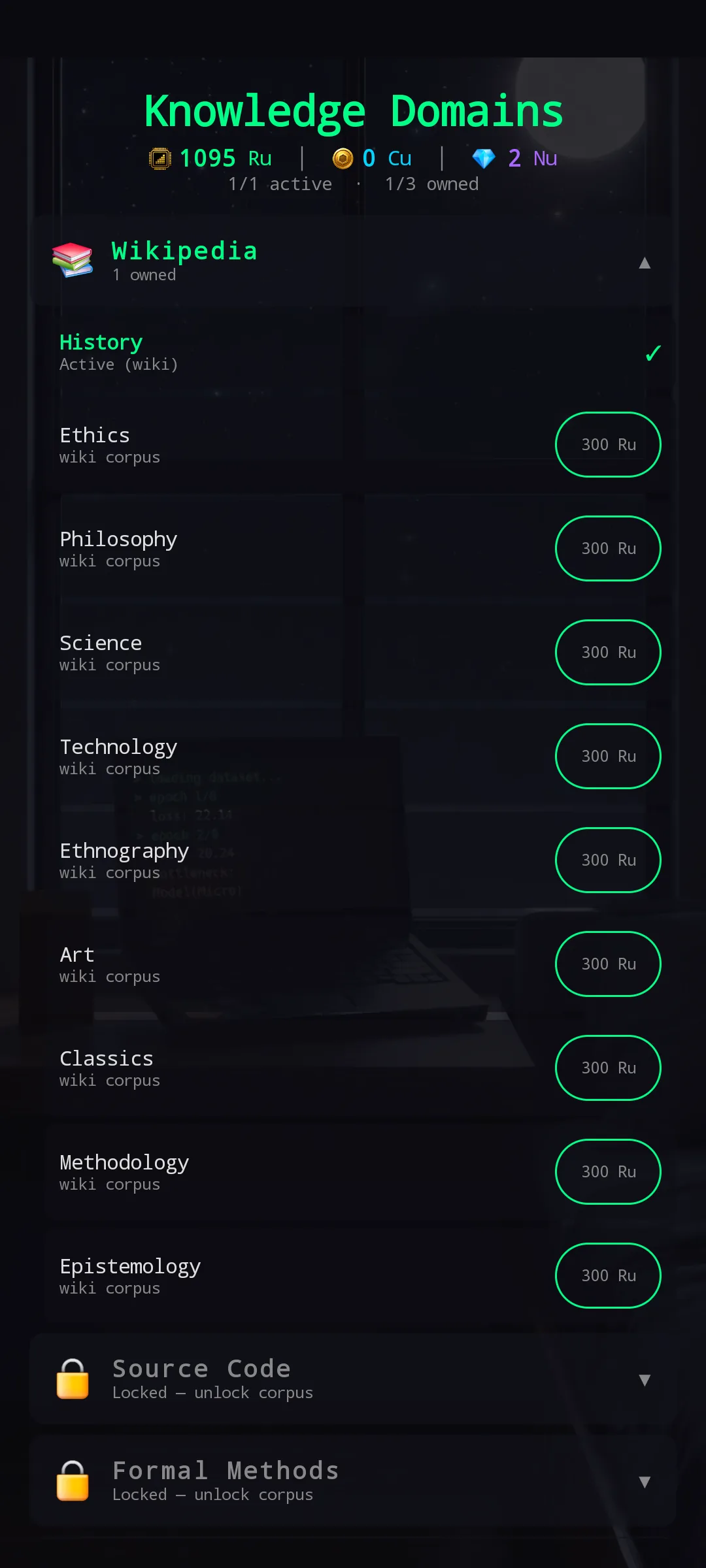
The old Knowledge Domains screen was a vertical wall: every domain inside the active corpus listed one after another, each with its own buy chip. Locked corpora sat collapsed at the bottom, easy to miss. With two corpora unlocked and a single active one, the screen already required scrolling; with the full slate of five corpora it would have been worse.
The structural problem was the same as the other two redesigns — one screen trying to be a reference for every option and a focused config for one option simultaneously. Doing both does neither well.
🎯 The fix — Tier-1 corpus selector + per-corpus drill-down
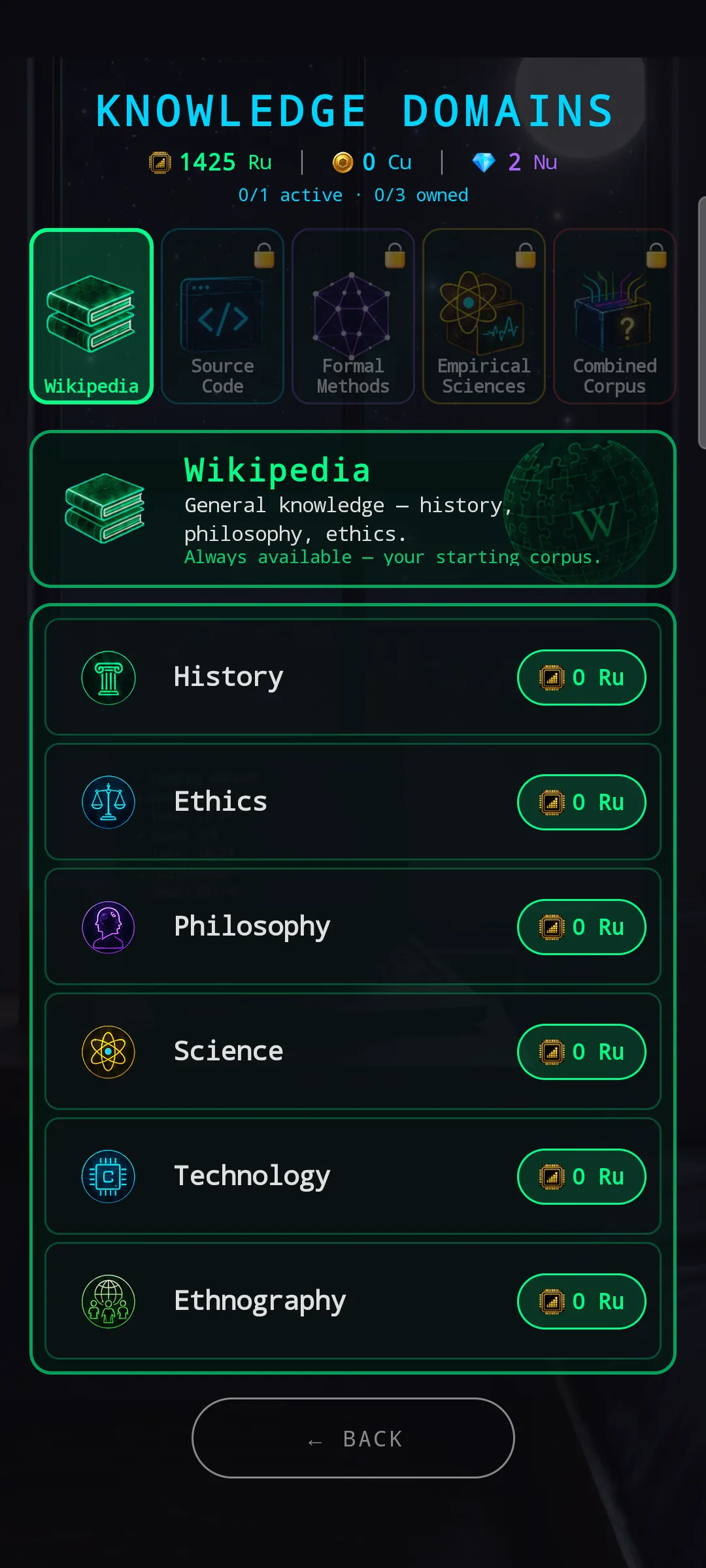
The new screen has the same five-region grammar you already know from Pretrain Configuration and Hardware Config:
- Header sub-bar —
1/1 active · 1/3 ownedand the currency strip. Quick reference for where you stand. - Tier-1 corpus selector — five large icons in a row at the top: Wikipedia / Source Code / Formal Methods / Empirical Sciences / Combined Corpus. Selected one gets its corpus colour glow; locked ones show a 🔒 badge.
- Active corpus banner — corpus icon + name in the corpus colour + a one-line description so you remember what’s inside without unlocking it. For locked corpora, the banner also shows the unlock price.
- Per-domain list — each domain has its own icon, its own name, and either a price chip, an OWNED marker, or a 🔒 if it’s part of a locked corpus.
- BACK at the bottom.
Same drill-down pattern as the previous two redesigns — pick the corpus, then pick the domain within. Active selection is always one tap away; the rest stays out of the scroll.
🎨 Each corpus gets its own visual identity
Five corpora, five colours, five themed icon sets. The colour isn’t just decoration — it’s how you tell at a glance which corpus you’re drilled into when the screen scrolls.
📚 Wikipedia — green, the starting corpus
Always-available starting corpus, granted free at game start. General knowledge — History, Ethics, Philosophy, Science, Technology, Ethnography, Art, Classics, Methodology, Epistemology. Each domain has its own icon (gavel for Ethics, atom for Science, brain-cogs for Methodology, and so on). The banner reminds you: “Always available — your starting corpus.”
💻 Source Code — cyan
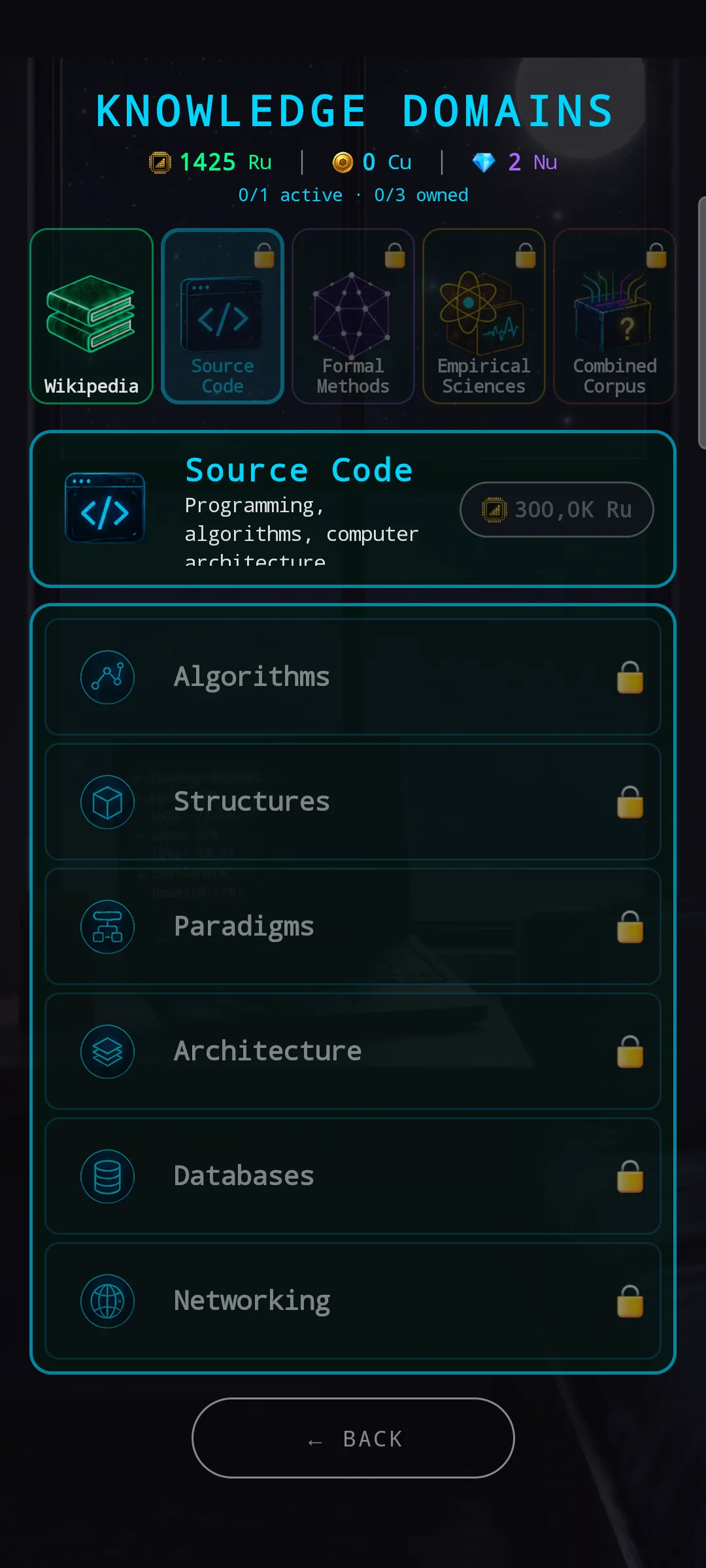
Programming, algorithms, computer architecture. Domains: Algorithms, Structures, Paradigms, Architecture, Databases, Networking. Unlocked as a single corpus — once you pay the unlock, every domain inside becomes individually purchasable.
The cyan corpus colour shows in the banner border, the Tier-1 icon glow, and the per-domain icon strokes — consistent across the whole screen state.
🧮 Formal Methods — purple
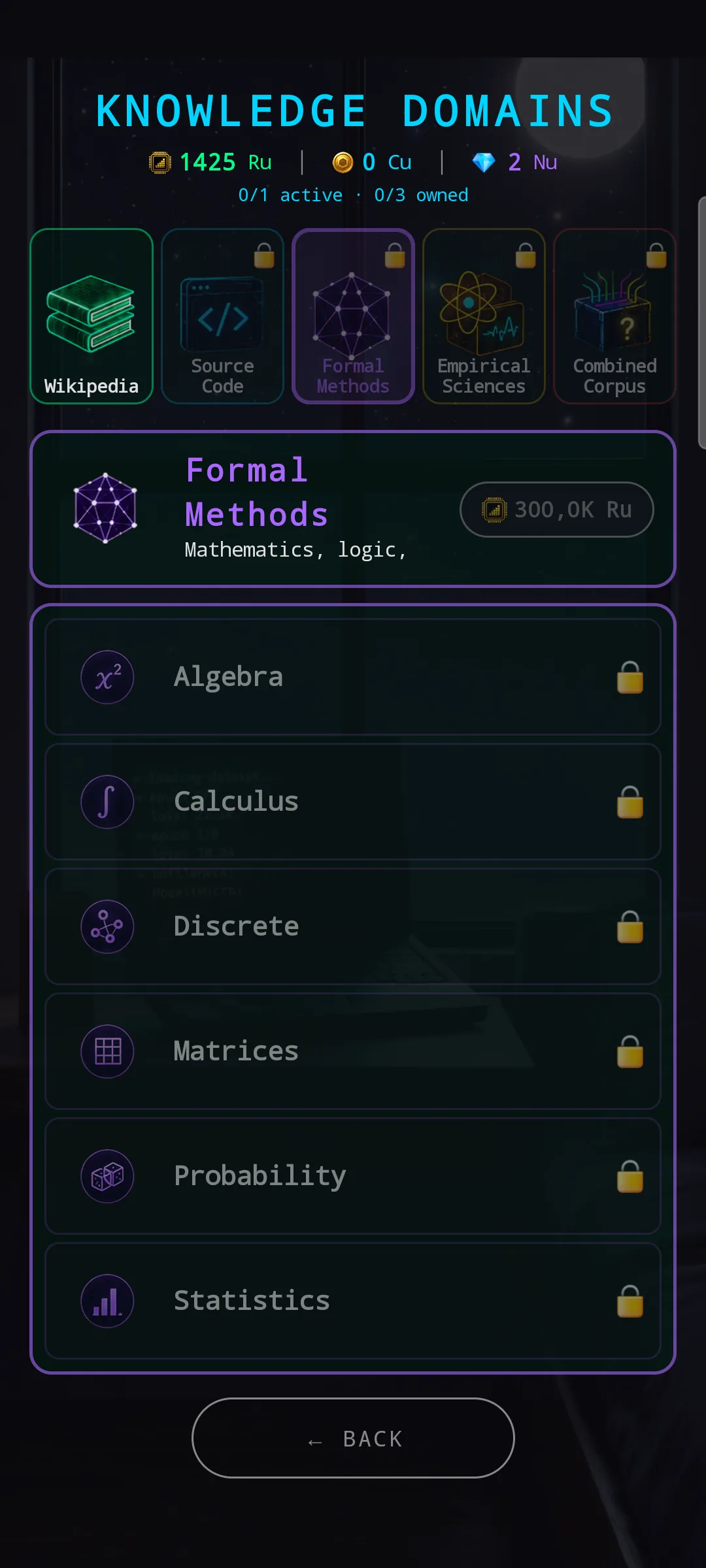
Mathematics and logic — Algebra, Calculus, Discrete, Matrices, Probability, Statistics. The icons lean into the math language (x², ∫, bar chart) so the corpus is readable as “the math one” before you read the names.
🔬 Empirical Sciences — yellow
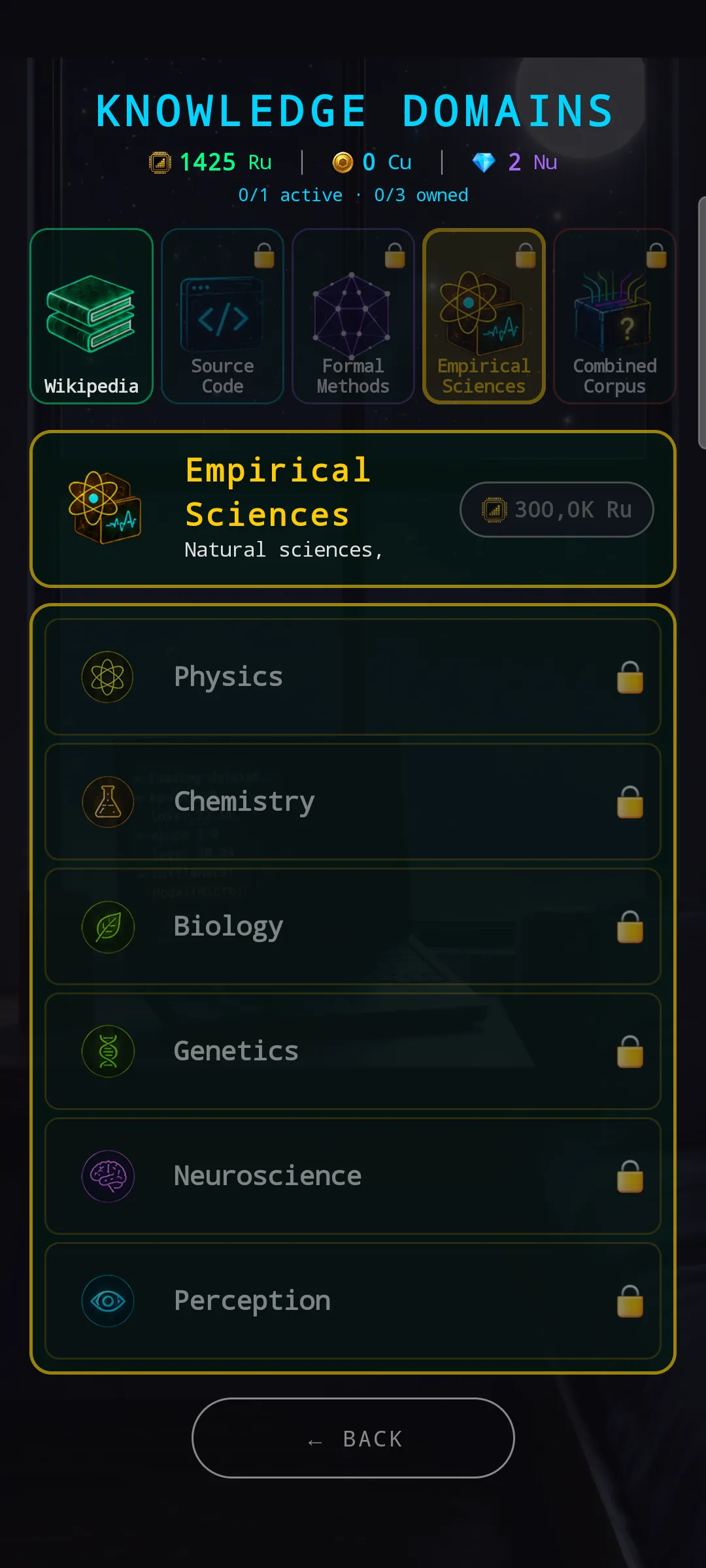
Natural sciences — Physics, Chemistry, Biology, Genetics, Neuroscience, Perception. Atom, flask, leaf, helix, brain, eye — same approach: icons that pre-read the topic.
🎲 Combined Corpus — red, and special
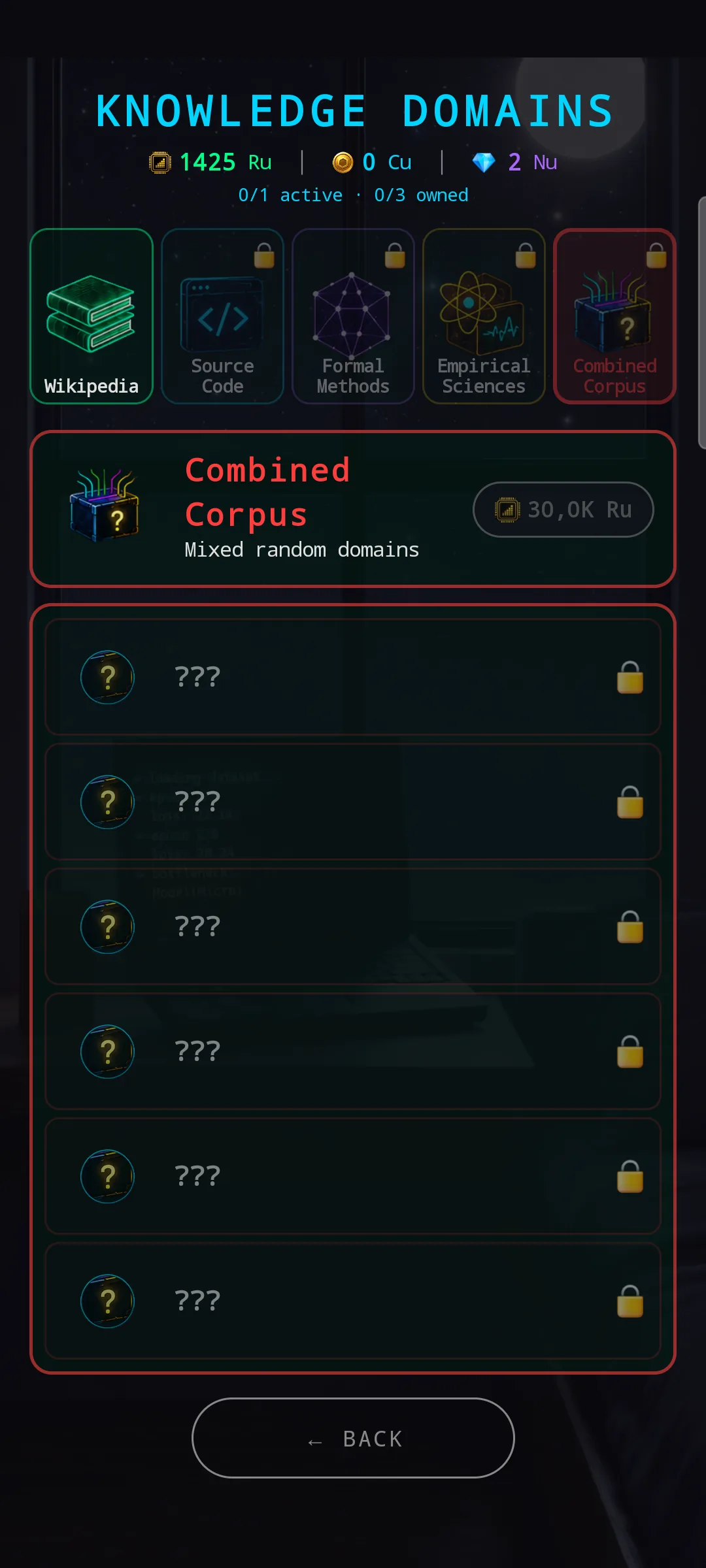
Combined Corpus breaks the rule the other four follow: you cannot preview its domains before unlocking. The rows show ??? placeholders with question-mark icons instead of named domains. That’s not a bug — it’s the corpus’s whole point. Combined Corpus contains a random mix of domains pulled from the other corpora, rolled fresh, so showing a fixed preview would defeat the surprise.
In exchange for the unknown, it’s cheaper to unlock than the dedicated corpora. Lower commitment, mystery box payoff — pick it if you want the breadth roll instead of a focused build.
💰 Progressive domain pricing
The pricing model also got a quality-of-life update. Inside any unlocked corpus, the first domain you buy is free. Each subsequent domain costs more than the previous one — the curve scales with how many domains you already own across the whole brain, not just within the current corpus.
The practical effect: there’s never a reason not to grab at least one domain in a corpus you just unlocked, but you also can’t bulk-buy a whole corpus on the cheap. Each additional domain is a real decision against the rising cost.
🔮 Prediction module — affinity hints on buy buttons
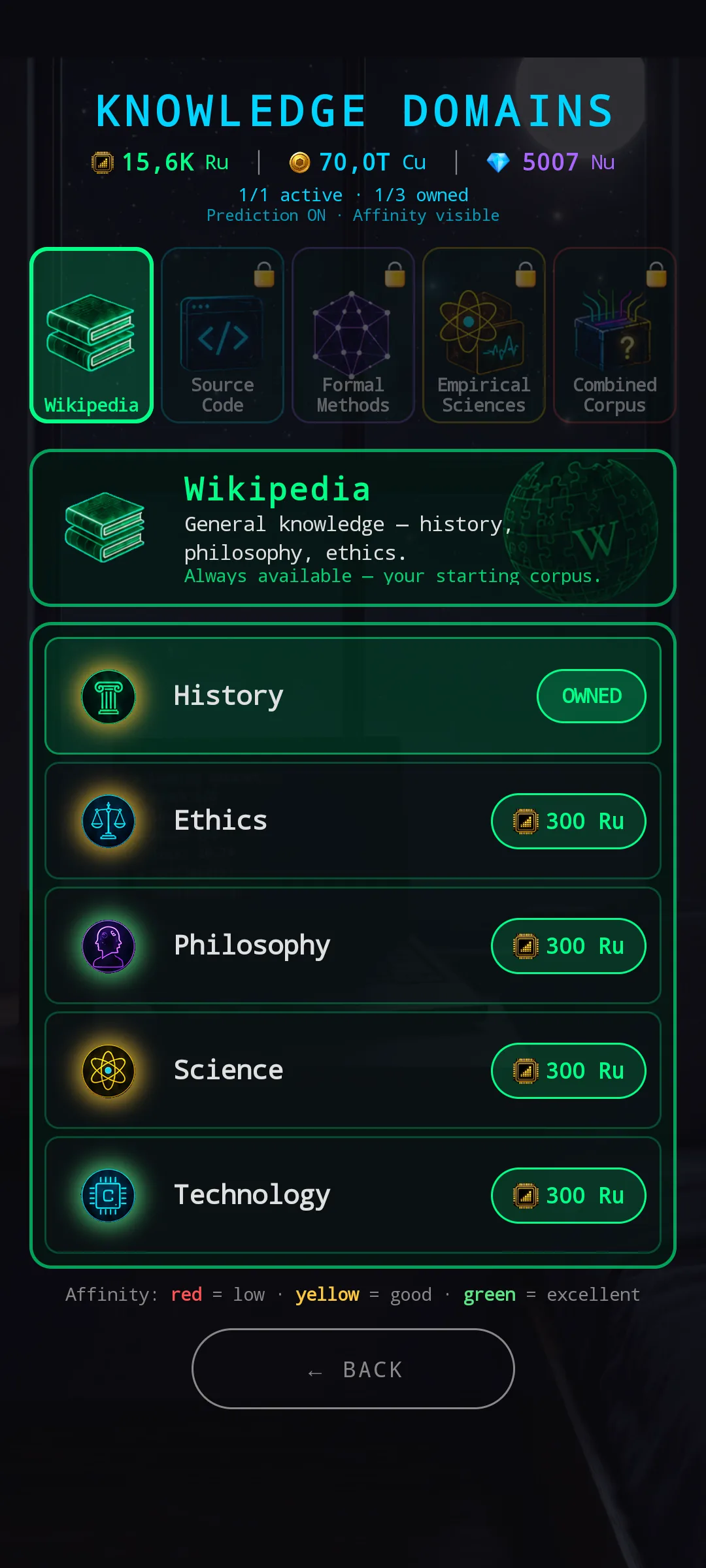
The Prediction module is a utility-class module, not an endgame piece — install it on the brain and it adds an overlay on top of this screen. The header sub-bar gains a Prediction ON · Affinity visible flag, and every buy chip on a per-domain row gets a colour wash:
- 🟢 Green — excellent affinity (the brain learns from this domain especially well)
- 🟡 Yellow — good affinity (normal)
- 🔴 Red — low affinity (the brain will struggle here)
A legend at the bottom of the screen spells out the meaning. Without the Prediction module installed, the buttons stay in the default corpus colour and you find out the affinity only after committing — Prediction turns it into a pre-decision read.
🧭 Three drill-downs, one grammar
Pretrain Configuration, Hardware Config, and Knowledge Domains now share the same five-region layout: sub-bar status → Tier-1 selector → focused banner / hero → drill-down list → BACK. The colour palettes differ (chassis blue/cyan, corpus rainbow) but the spatial language is identical.
The point isn’t visual consistency for its own sake — it’s that you only ever learn one navigation pattern. Once Pretrain Configuration clicked, Hardware Config felt familiar from the first tap. Knowledge Domains should land the same way.
Three rooms of the house redesigned. A few more to go. 🧠
— NeuroVault Research Systems