Black Market Items
The Black Market isn't just for selling brains. It's also where procedurally-generated premium hardware shows up — items with stronger stats and unique affixes you can't roll on standard components. They cost more, they cannot be repaired, and the offer rotates whenever you sell a brain. This page walks through the full lifecycle.
For the complete affix catalog (every effect that can roll on every component type, rarity math, pricing logic), see the dedicated Black Market items reference.
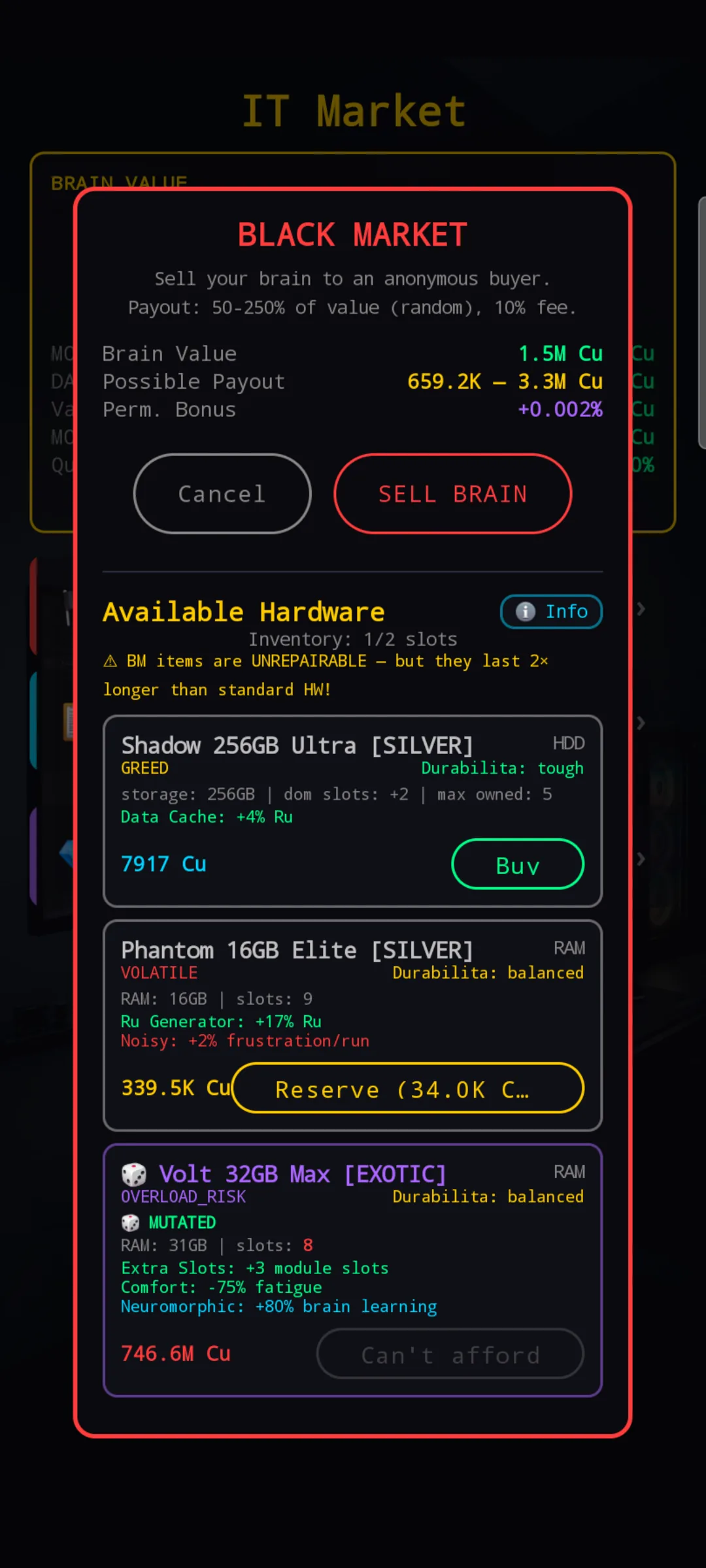
At a glance
Beyond selling brains, the Black Market offers procedurally generated hardware items in the Available Hardware section. Each item is one-of-a-kind: a near-zero chance of a duplicate effect set appearing twice. The offer rotates with every brain sale, so it's worth checking the BM each time you come back from a sale.
BM items are unrepairable — once their durability hits zero, the item is destroyed and your standard component is reactivated. The trade-off is that BM items generally last twice as long as a comparable standard part, so the up-front cost is amortized over a longer effective life.
Shop slots — how many offers you see at once
Every player starts with one offer slot. The other two slot entries are visible immediately as locked Unlock buttons under the offer:
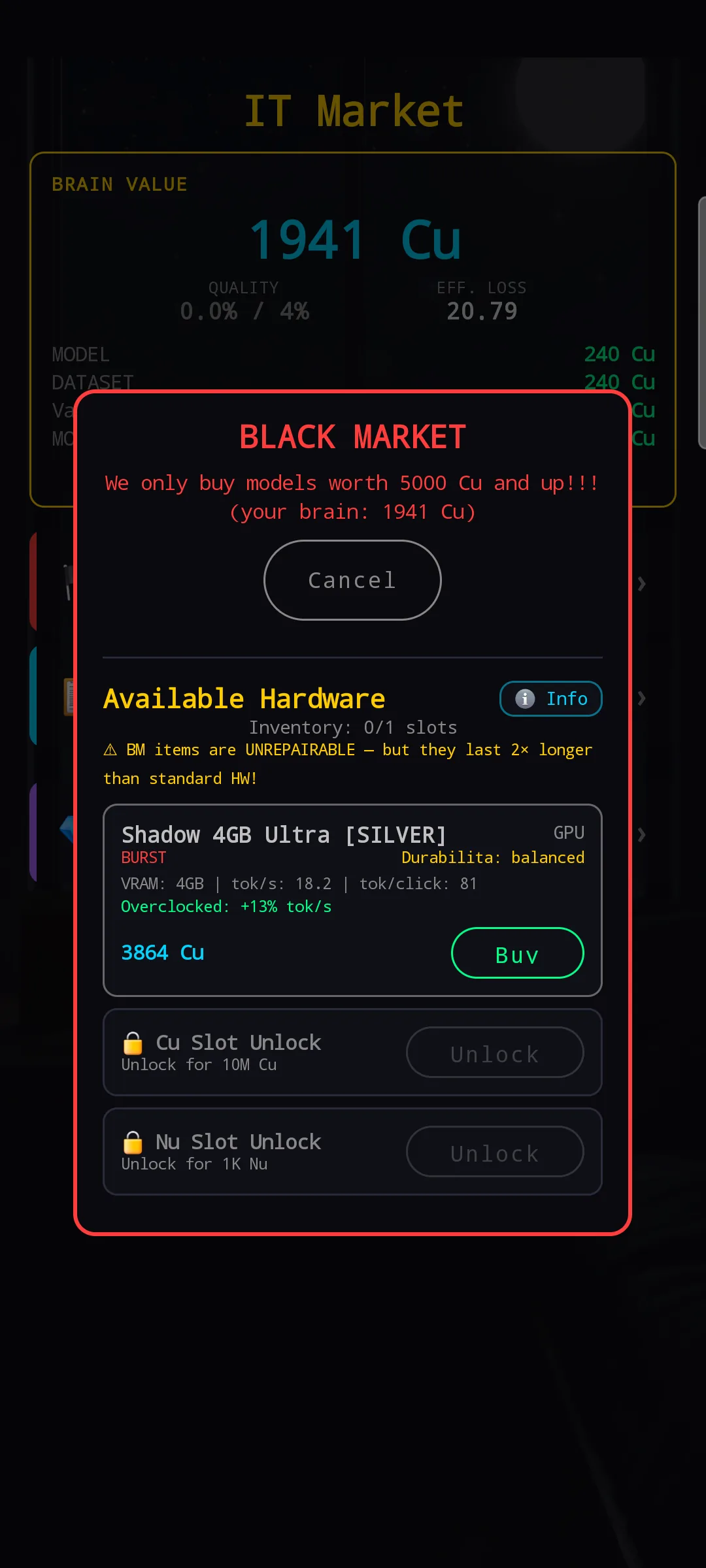
- +1 slot for 10 M Cu — the regular unlock.
- +1 slot for 1 000 Nu — premium unlock, independent of the Cu one (both can be bought; both together give you the full three-slot view).
On top of the shop slot count, your inventory (how many BM items you can own at once) is gated by your chassis:
| Chassis | Base BM inventory slots |
|---|---|
| Starter | 1 |
| Builder | 2 |
| Builder Pro | 2 |
| Deep | 3 |
| Deep Pro | 3 |
| Cluster | 4 |
Reading an item card
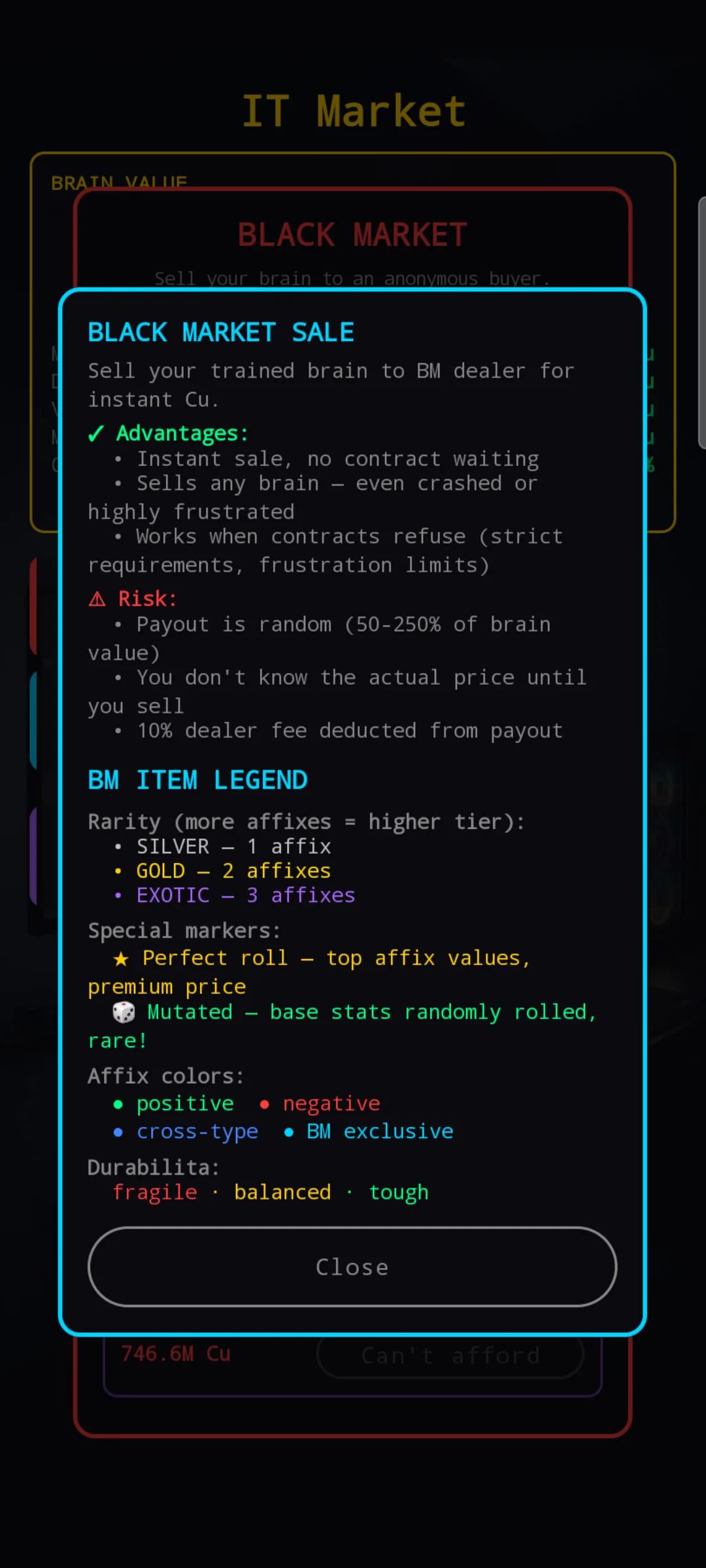
i Info button in the BM dialog to see
this legend at any time.
Each card combines four pieces of information:
- Name + size + tier + rarity — e.g. Shadow 256GB Ultra [SILVER]. The bracketed rarity (Silver / Gold / Exotic) tells you how many affixes the item carries and how aggressively they roll.
- Affix line — one or more colored bullets describing the item's effects. Green is positive, red is negative. Items often pair the two (a strong positive + a mild negative is what makes the price approachable).
- Durability bar + class label — the bar shows current condition. The class (fragile / balanced / tough) sets the trade between stat ceiling and total lifespan.
- Price + action button — Cu cost, plus a Buy, Reserve, or Can't afford button depending on your wallet.
Look for the small markers next to the item name — they call out exceptional rolls: a ★ means a near-perfect affix, 🧬 means the base stats themselves are randomized (Mutated), and so on. Full meaning of every marker is in the items reference.
Reserving an item
If a card is worth saving but you can't afford it yet, tap Reserve instead of Buy. Reservation requires a deposit of at least 10 % of the item's price, and once placed it locks the item in place through the next brain sale (which would otherwise rotate the offer).
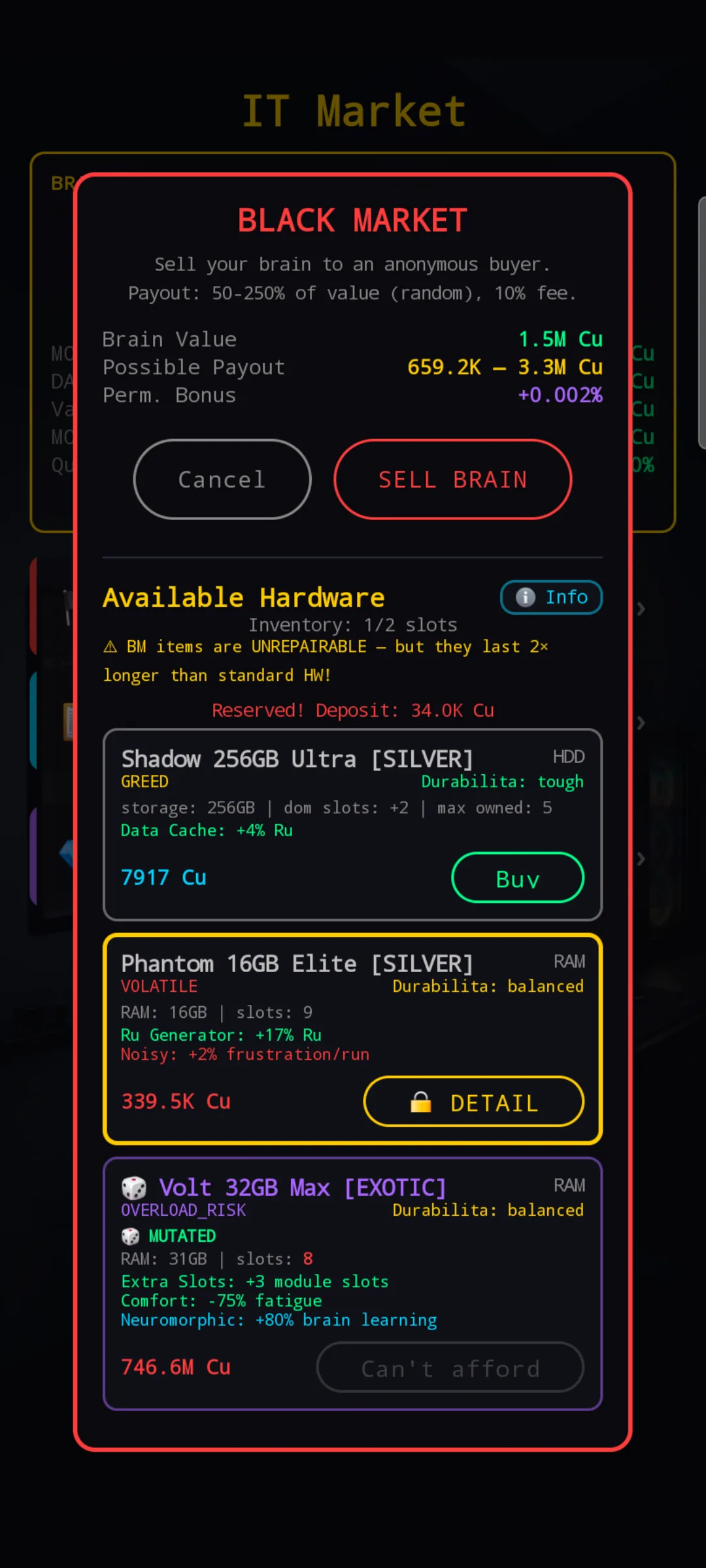
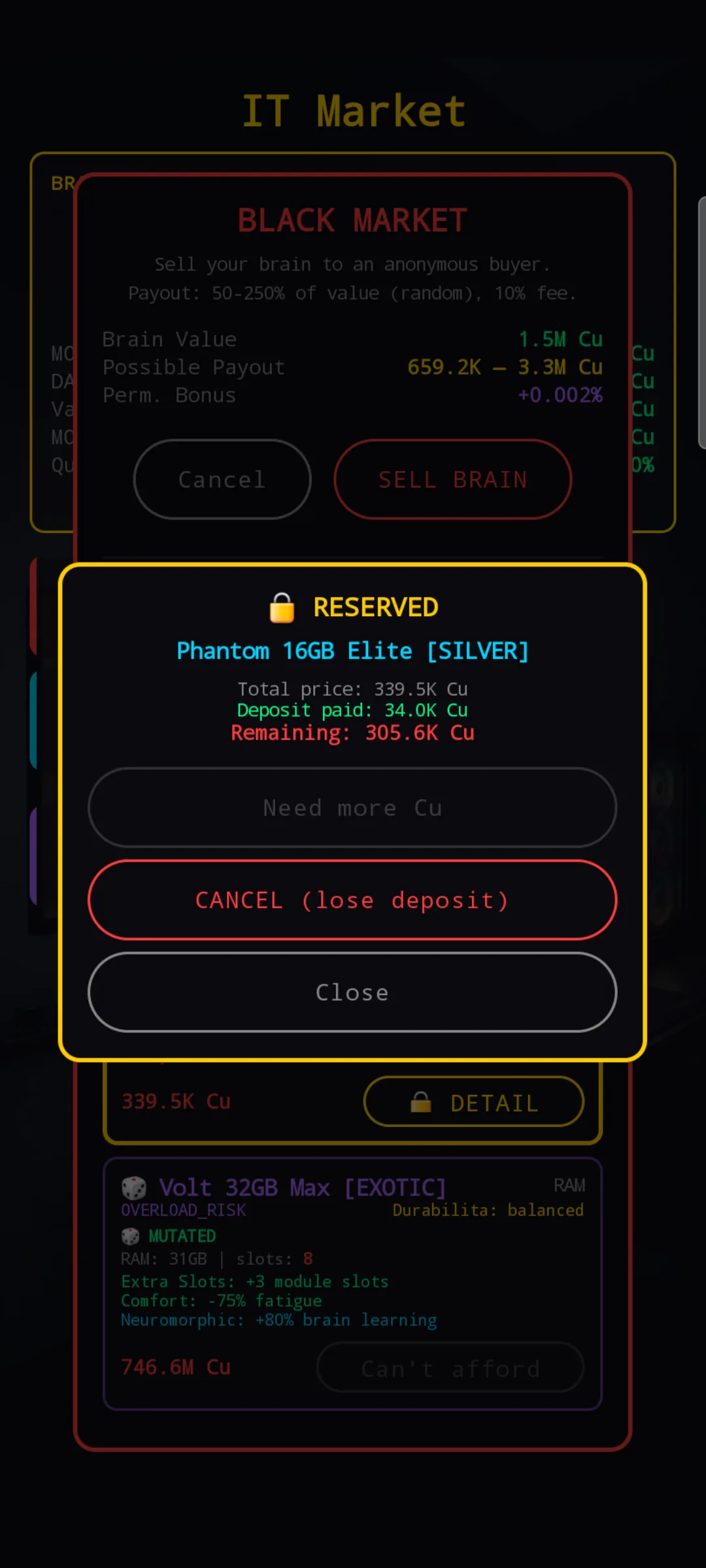
Reservations are non-refundable. If you cancel (or you can't gather the remaining Cu before the offer rotates), the deposit is gone. Reserve only when you're confident you'll have the full amount soon.
Buying and equipping
After a purchase, the item goes to your Hardware screen. Open it and expand the Owned Components row to see your BM inventory:
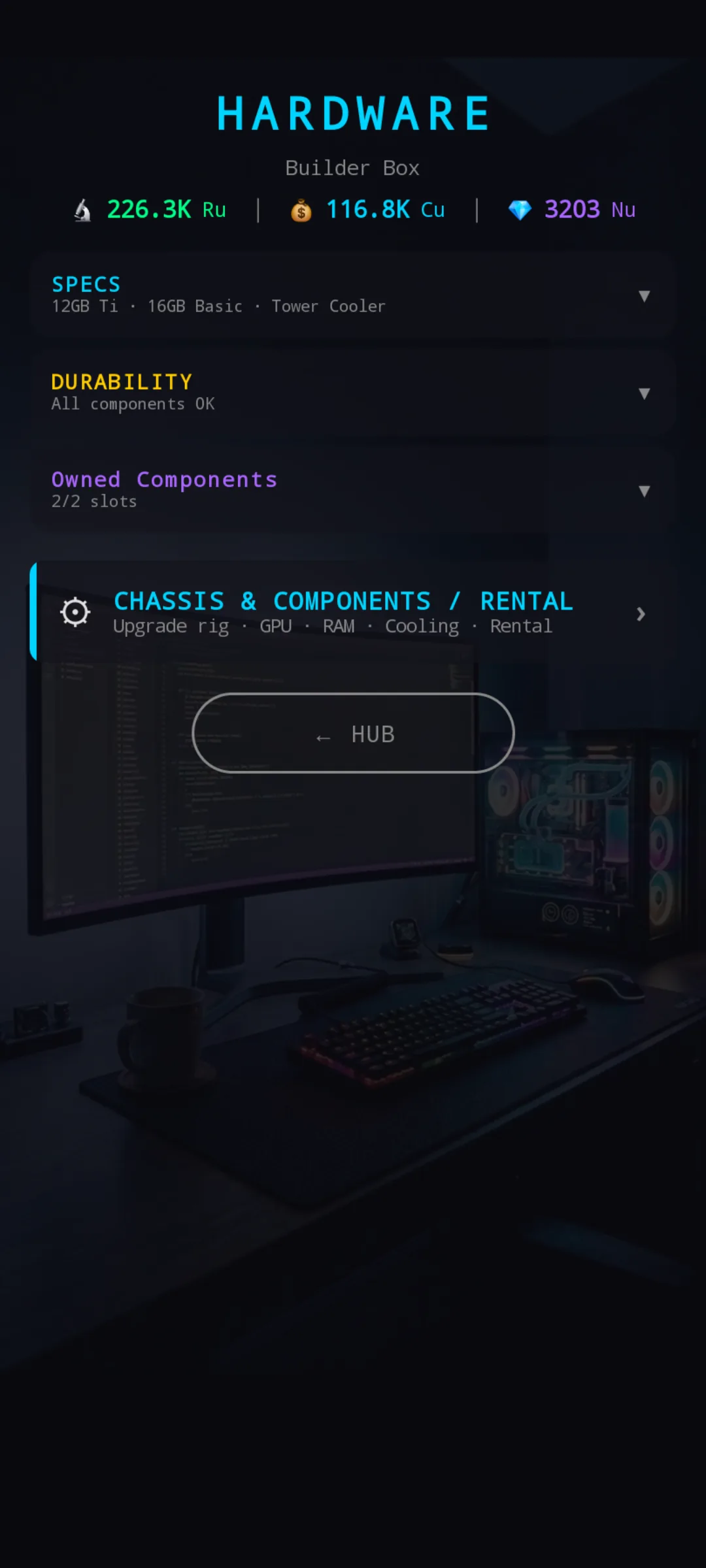
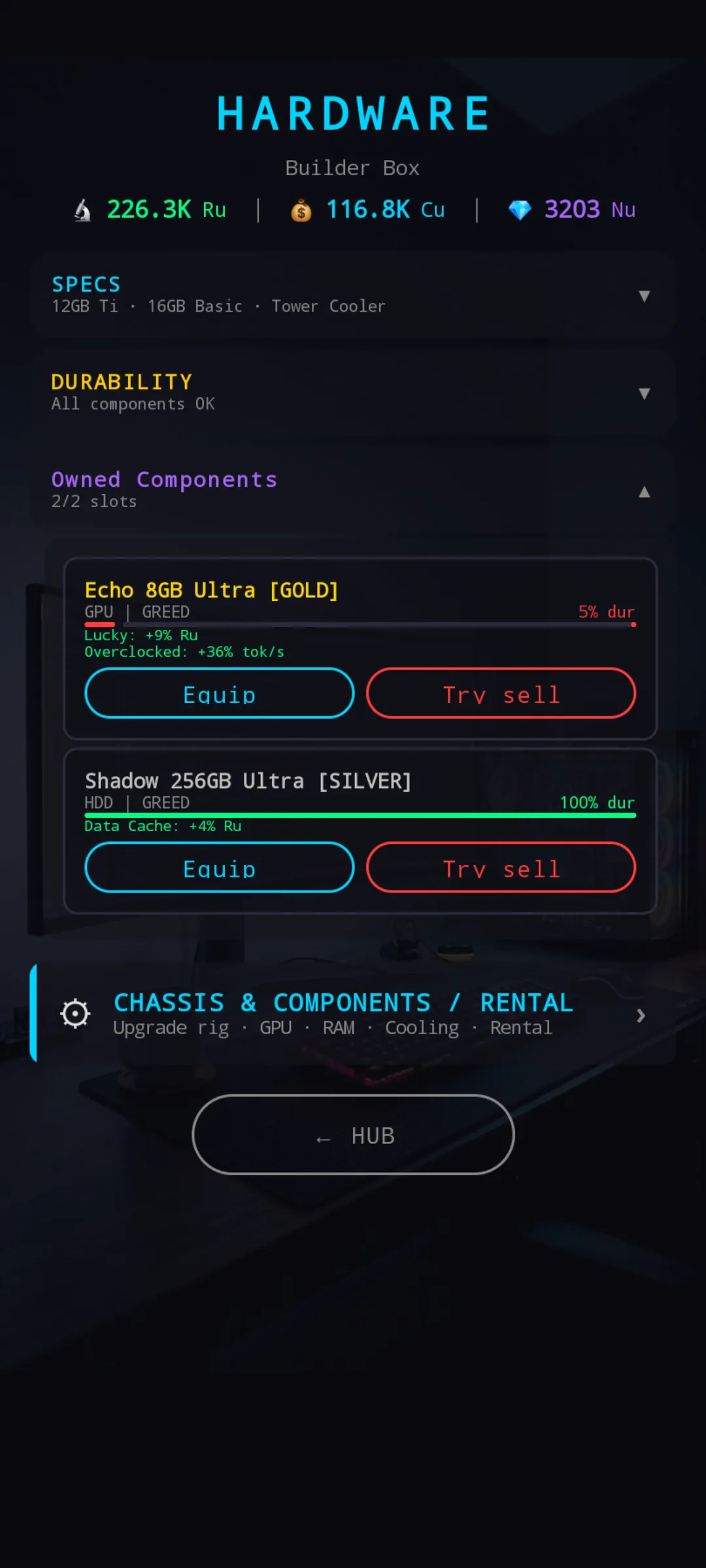
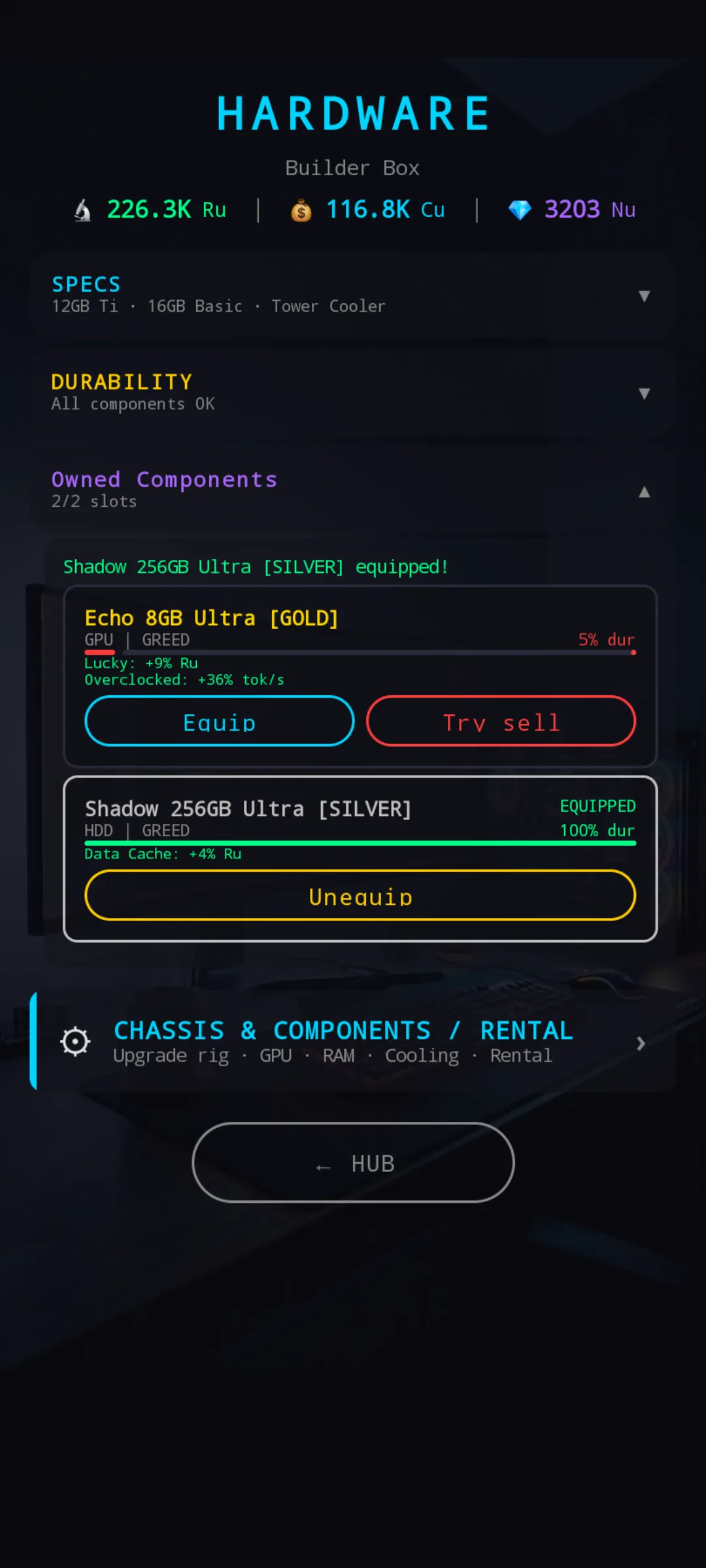
Tap Equip to swap the BM item in for the standard component of the same type. The card flips to a yellow Unequip state, your standard component is held in reserve for instant return when the BM item breaks (or you unequip it).
Try sell — selling back to the dealer
Changed your mind on a healthy item, or freeing up an inventory slot? Tap Try sell. The BM dealer rolls a random offer on the spot, based on the item's purchase price:
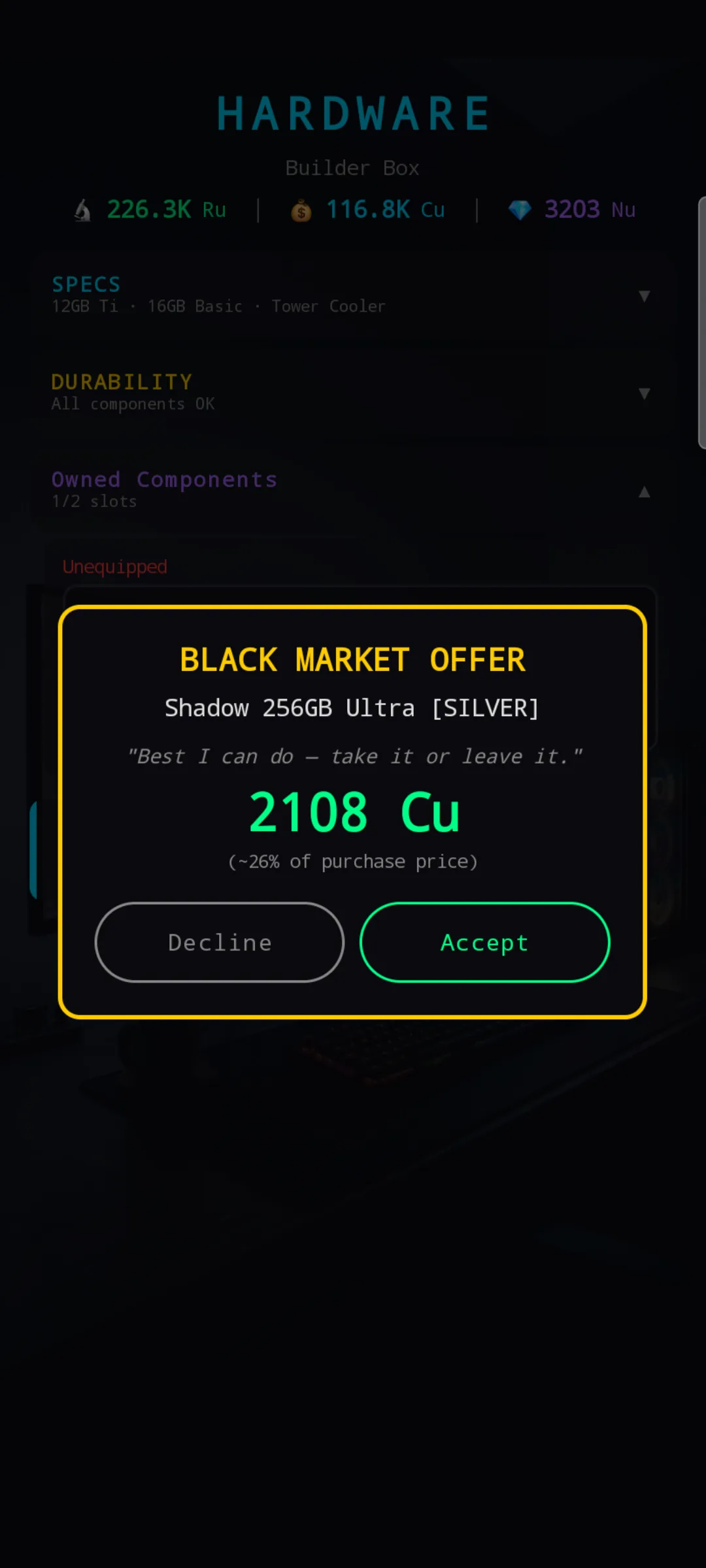
Each try is independent — declining doesn't lock you out. If you're patient, you can refuse a low roll and come back after another brain sale for a fresh attempt.
When the dealer refuses
If an item's durability has dropped below a threshold, the BM dealer outright refuses to buy it back. You get a different popup with a Destroy option instead:
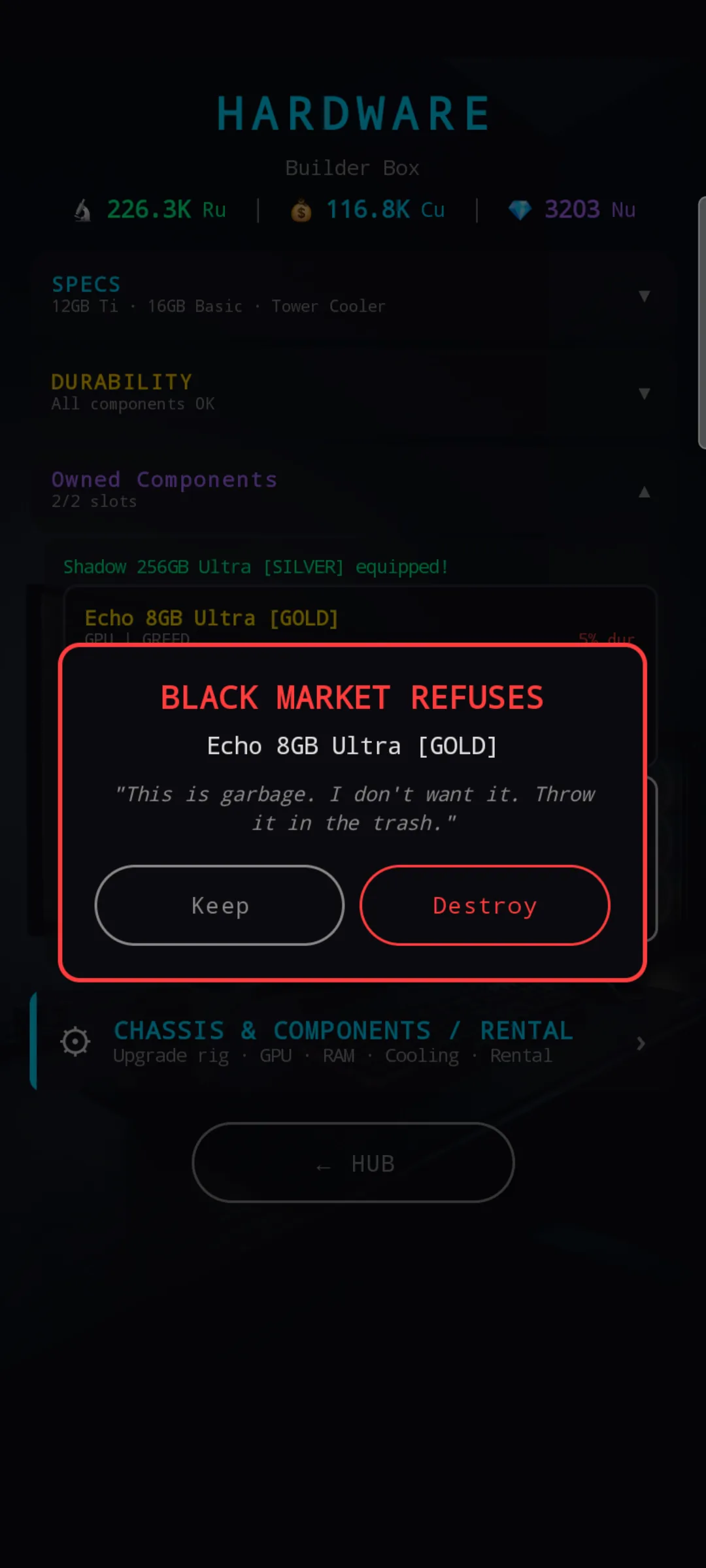
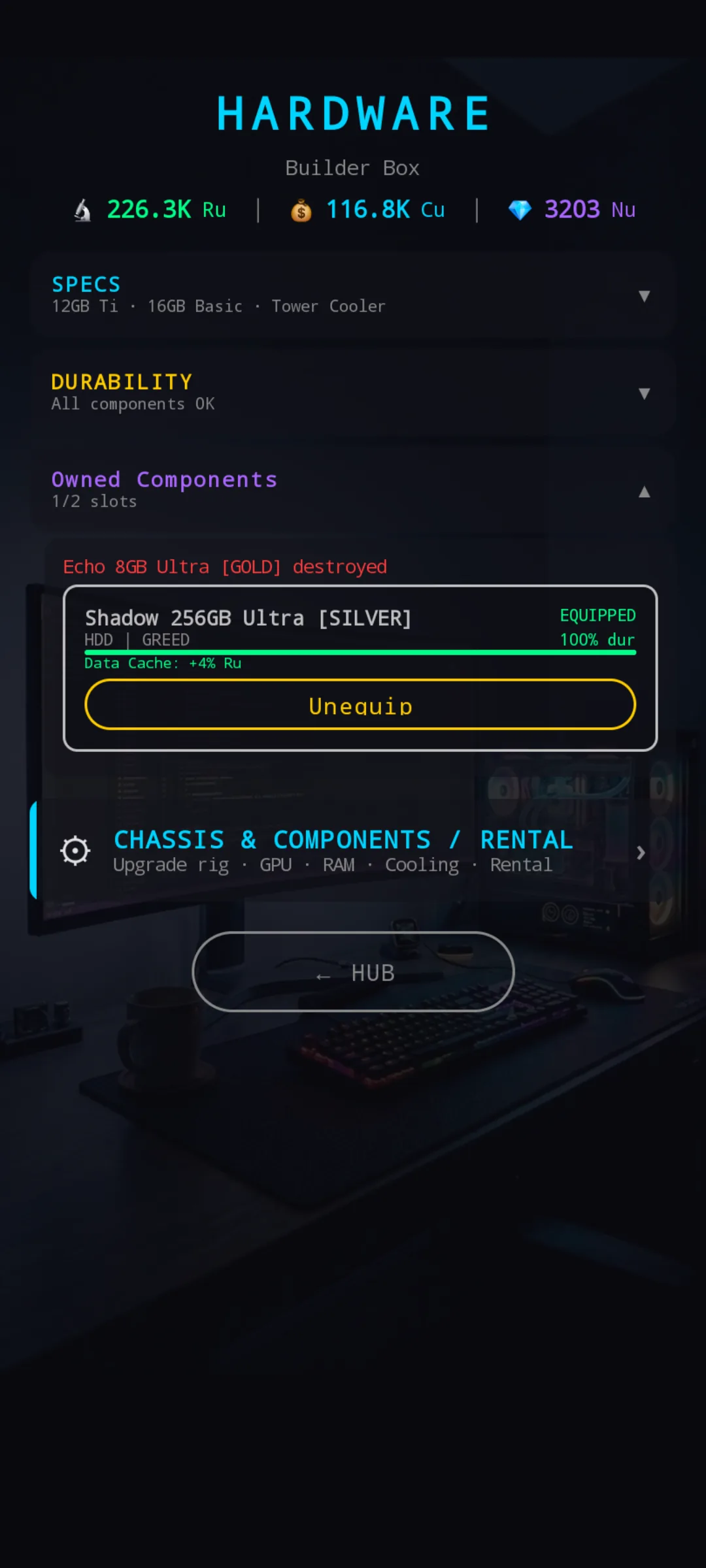
Destroy is purely a cleanup option — no Cu returned. The point is to clear a slot without having to wait for the item to break naturally in a run.
Tips & tricks
- Check the BM after every brain sale. The offer rotates each time. Even a single rotation can surface an item that's worth re-budgeting around.
- Reserve only what you can finish paying. Lose the deposit and you've subsidized someone else's future offer.
- Don't anchor on rarity alone. A Silver with one perfect roll can out-perform a Gold loaded with negatives. Read the affix line, not the bracket. The items reference explains why.
- Early game: lean Tough. One inventory slot and not much Cu to replace breakage — Fragile is a luxury for later.
- BM items degrade mainly from quality gain. Pure Ru-farming runs barely touch their durability, so a star item lasts much longer if you reserve it for Creative-mode income runs.
- If the dealer refuses, Destroy. Don't keep broken items occupying inventory slots — clear and re-shop.